
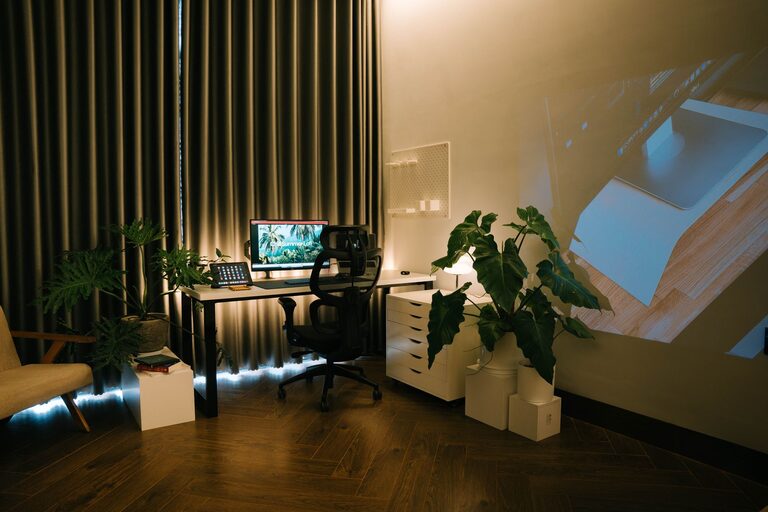
Creating a cozy and functional home office space is essential for anyone who works from home or needs a quiet place to focus. Whether you have a dedicated room or a small corner in your living area, designing a space that is both comfortable and efficient can boost your productivity and make your workday more enjoyable. In this post, we’ll share practical tips for setting up a home office that feels inviting and supports your daily tasks.
Choose the Right Location
Find a Space with Natural Light
Natural light improves mood and reduces eye strain. If possible, choose a spot near a window. Position your desk so that light comes from the side, preventing glare on your screen.
Consider Noise Levels
Pick a quiet corner away from household traffic and distractions. If this isn’t an option, try noise-cancelling headphones or a white noise machine to help maintain focus.
Invest in Comfortable Furniture
Ergonomic Chair and Desk
A supportive chair with adjustable height and good lumbar support is a must. Your desk should be at a height where your elbows can rest comfortably at 90 degrees while typing.
Use a Desk That Fits Your Needs
Choose a desk with enough surface space for your computer, essential tools, and a bit of creativity like a notebook or plant. For small spaces, wall-mounted or foldable desks can save room.
Organize for Efficiency
Declutter Regularly
Keep only what you need on your desk to prevent distractions. Use cable organizers or clips to manage cords neatly.
Storage Solutions
Shelves, filing cabinets, or drawers help keep supplies and papers in order. Clear storage boxes or labeled bins make it easy to find what you need quickly.
Add Personal and Cozy Touches
Soft Textiles
A comfortable chair cushion or a small rug can add warmth. Soft fabrics invite you to settle in and stay longer.
Plants and Greenery
Adding plants brightens the space and can improve indoor air quality. They also make your office feel more welcoming.
Lighting
In addition to natural light, use warm-toned desk lamps or floor lamps. Avoid harsh overhead lighting that can cause eye strain or fatigue.
Optimize Technology Setup
Position Your Monitor Correctly
Your screen should be about an arm’s length away, with the top of the monitor at or just below eye level.
Keyboard and Mouse Placement
Keep your keyboard and mouse close enough to avoid strain from reaching. Wrist rests can also provide added support.
Reliable Internet Connection
If you rely on video calls or online research, ensure your internet is fast and stable. Consider a wired connection if Wi-Fi is weak in your office area.
Maintain a Balanced Environment
Take Breaks and Move
Even the best office setup can’t replace the need to stand, stretch, and move around regularly. Consider a timer to remind yourself to take short breaks.
Keep the Temperature Comfortable
Adjust heating or cooling to ensure your office doesn’t become too hot or cold, which can distract from work.
Stay Hydrated and Snack Smart
Keep a water bottle nearby and healthy snacks to stay energized throughout the day.
Final Thoughts
Creating a cozy and functional home office is about balancing comfort and productivity. By considering your space thoughtfully and adding personal touches, you can build an environment that supports your work and well-being. Remember, the best workspace is one that meets your unique needs and helps you feel your best every day.