
Creating a home office that is both cozy and productive can significantly improve your work-from-home experience. With the right setup, you can enjoy a space that encourages focus while also making you feel comfortable and motivated. Whether you’re starting from scratch or looking to refresh your current workspace, these tips will help you craft the perfect home office environment.
Choose the Right Location
Find a Quiet, Well-Lit Spot
Selecting the right location in your home is the first step. Look for a place with minimal distractions and plenty of natural light. Natural lighting helps reduce eye strain and can boost your mood. If natural light is limited, make sure to invest in good quality artificial lighting.
Consider Privacy and Noise Levels
If possible, pick a room or corner that’s separate from high-traffic areas. This helps you focus during work hours. Adding noise-canceling headphones or a white noise machine can be useful if ambient noise is unavoidable.
Invest in Comfortable and Functional Furniture
Get an Ergonomic Chair
A supportive chair is essential for long hours at your desk. Ergonomic chairs help prevent back pain by promoting good posture. Look for adjustable features like height, lumbar support, and armrests.
Choose a Desk That Fits Your Needs
Your desk should comfortably accommodate your computer, keyboard, mouse, and any other tools you use regularly. If space is tight, consider a compact desk or even a wall-mounted foldable desk to save room.
Organize Your Workspace
Declutter Regularly
Keeping your workspace tidy helps reduce stress and distractions. Use storage solutions like shelves, bins, or drawer organizers to keep essentials within reach but out of sight.
Use Cable Management Solutions
Loose cables can look messy and cause frustration. Use cable clips, sleeves, or under-desk trays to keep wires organized and avoid accidents.
Personalize Your Space
Add Plants and Greenery
Plants not only enhance the visual appeal of your office but also improve air quality and reduce stress. Choose low-maintenance plants like succulents or pothos if you don’t have a green thumb.
Incorporate Art and Inspiring Decor
Adding artwork, motivational quotes, or your favorite photos can make your workspace feel inviting. Balance personal touches with a professional look to maintain focus.
Optimize Your Technology Setup
Invest in Reliable Equipment
Make sure you have a fast internet connection, a good quality monitor, keyboard, and mouse. Backup your files regularly and consider adding a second monitor to boost productivity.
Maintain Good Cable and Device Placement
Position your monitor at eye level and keep frequently used devices within easy reach. This helps minimize neck and wrist strain.
Manage Lighting and Temperature
Use Adjustable Lighting
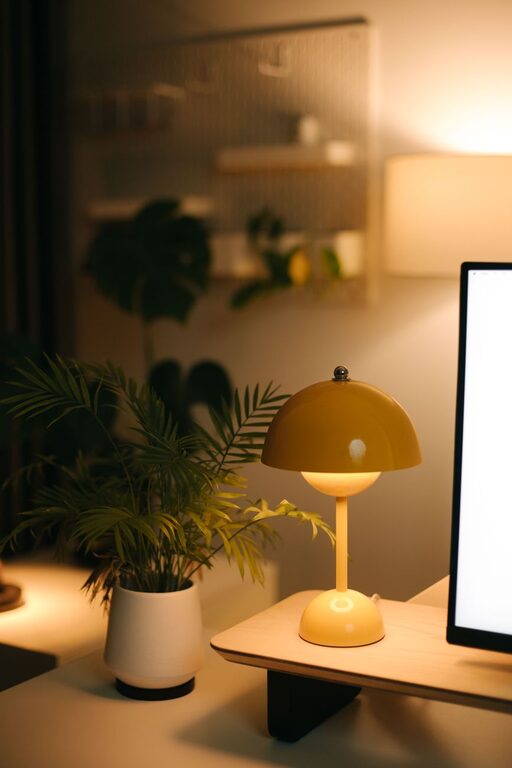
Having control over your lighting can help reduce eye strain and fatigue. Use desk lamps with adjustable brightness and color temperature settings.
Keep the Room Comfortable
A room that’s too hot or cold can be distracting. Use fans, heaters, or smart thermostats to maintain a comfortable temperature throughout your workday.
Set Boundaries and Maintain a Routine
Designate Work Hours
Having clear start and end times helps separate work from personal life. When you finish work, step away from your home office to recharge.
Create a Pre-Work Ritual
Develop habits like tidying your desk before starting or making a cup of coffee to signal the beginning of your workday. This helps mentally prepare you to focus.
Take Breaks and Move Often
Schedule Short Breaks
Regular breaks help maintain concentration and prevent burnout. Use techniques like the Pomodoro Technique—working for 25 minutes and breaking for 5 minutes.
Stretch and Move Around
Stand up, stretch, or take a short walk to keep your body energized and reduce the risks associated with sitting too long.
—
By implementing these tips, you can create a home office that makes working from home more comfortable and productive. Remember, the ideal workspace is one that suits your personal needs and preferences. Regularly reassess your setup and adjust as needed to keep your environment fresh and inspiring.