
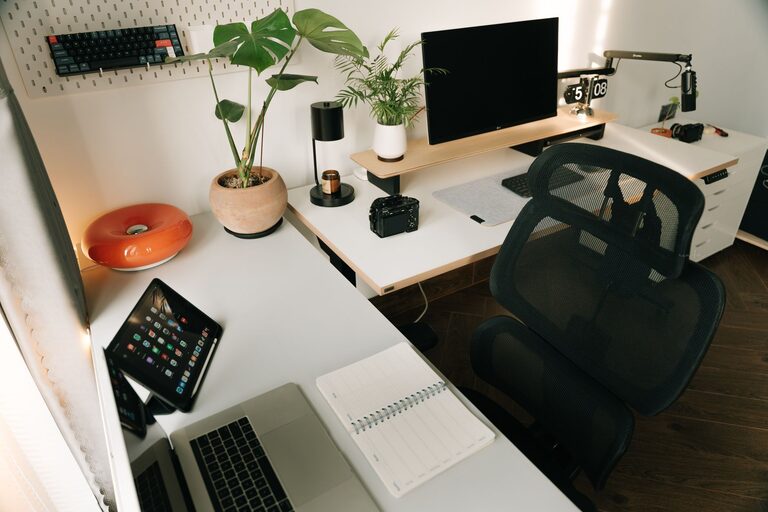
Creating an organized home workspace can significantly improve your productivity and overall work experience. When your workspace is clutter-free and thoughtfully arranged, it becomes easier to focus, reduce stress, and accomplish your tasks efficiently. Whether you’re setting up a new home office or tweaking an existing one, these effective tips will help you create an organized environment tailored to your needs.
Why Organizing Your Home Workspace Matters
A well-organized workspace does more than just look neat. It sets the tone for your workday, helps you maintain a clear mind, and minimizes distractions. Disorganization can waste time as you search for supplies or documents, and it may even cause unnecessary stress. By investing time in organizing your space, you’re investing in your productivity and work satisfaction.
Assess Your Current Workspace
Before you start organizing, take a moment to evaluate your current setup. Ask yourself:
– What items do I use daily?
– What equipment or supplies clutter my desk?
– Where do I run into frustration or inefficiency?
– How’s the lighting and ergonomics?
Understanding your workspace habits will help you identify what changes will make the most impact.
Essential Tips for Organizing Your Workspace
1. Declutter Regularly
Start by decluttering your desk and surrounding area. Remove everything from your workspace and sort items into categories:
– Keep: Frequently used items and essentials
– Store: Items you use occasionally
– Toss/Recycle: Unnecessary papers, broken items, or duplicates
Only return the “keep” items to your desk. This creates more space and reduces distractions.
2. Use Storage Solutions
Invest in storage options like drawers, shelves, and desk organizers. Some ideas include:
– Desk trays or file holders for important documents
– Small bins or cups for pens, markers, and office supplies
– Cable organizers to manage cords and chargers
Keeping similar items grouped together saves time when searching and prevents clutter buildup.
3. Optimize Your Desk Layout
Arrange your desk so that your most-used tools are within easy reach. For example:
– Place your computer or laptop in the center
– Keep your phone, notepad, and writing utensils nearby
– Position your calendar or planner where you can quickly glance at it
A clean, functional layout supports smoother workflow and reduces unnecessary movement.
4. Create Zones
If your workspace allows, divide it into zones based on tasks:
– Computer work zone: For typing and digital tasks
– Writing or brainstorming zone: With a notepad and whiteboard
– Storage zone: For files, reference materials, and supplies
Having dedicated areas can help your brain recognize the task at hand and reduce multitasking distractions.
5. Manage Your Paperwork
Paper clutter is a common challenge. Here are a few strategies:
– Go digital whenever possible by scanning documents
– Use labeled folders or binders to organize physical papers
– Set up a system for incoming mail or printouts with trays for “to-do,” “to file,” and “to discard”
Handling paperwork promptly prevents backlogs.
6. Pay Attention to Lighting and Ergonomics
Good lighting reduces eye strain and keeps you alert. Use natural light when possible, and supplement with a desk lamp. Also, set up your chair and monitor to promote good posture — this means your feet flat on the floor and the monitor at eye level.
7. Personalize Thoughtfully
Adding a few personal touches, such as plants or photos, makes your workspace inviting and can boost mood. Just be careful not to overdo it — too many decorations can create distractions.
8. Set a Cleanup Routine
End your workday by tidying up your space. Put items back in their designated places, clear your desk, and prepare for the next day. This small habit helps maintain your organized environment over time.
Tools and Accessories That Help
Several tools can assist in maintaining an organized home office, including:
– Cable clips and ties
– Drawer dividers
– Monitor stands or risers
– Label makers
– Digital apps for task and document management
Choose tools that suit your preferences and work style.
Benefits of an Organized Workspace
When your workspace is organized, you may notice benefits such as:
– Increased focus and reduced distractions
– Better time management
– Decreased stress and frustration
– More professional Zoom/video call backgrounds
– Greater satisfaction and motivation to work
By making organization a priority, you pave the way for a more productive and enjoyable work routine.
Final Thoughts
Organizing your home workspace is an ongoing process rather than a one-time task. Start with small changes, be consistent, and adapt your system as your work needs evolve. With a tidy, well-planned workspace, you’ll set yourself up for success and a more enjoyable work-from-home experience.
—
Getting started today could be as simple as clearing off your desk or designating a drawer for office supplies. These small steps add up to big improvements in how you work—giving you clarity and focus right where you need it most.